Introduction
When an IP address shows up in your SIEM — in a login event, a firewall log, a VPN connection — you typically get just that: an IP address. If you use GeoIP enrichment, you get geolocation (Country, City) and ASN. But that is often not enough in investigations. The question that follows is usually: who is actually behind this IP? Is it a VPN? A proxy?
That’s where Spur comes in.
Spur is a threat intelligence feed focused on anonymous infrastructure detection. In plain terms: it tells you whether a given IP address belongs to a VPN, a proxy, a residential proxy network, a Tor exit node, or some other anonymization service. This kind of context is invaluable for investigations and threat hunting — a successful authentication attempt from a residential proxy commonly abused by a cybercrime group should raise some alerts.
What Spur offers
Spur’s core product is an IP intelligence feed that is continuously updated and covers:
- VPN detection — identifies IPs associated with commercial VPN providers (NordVPN, ExpressVPN, Mullvad, etc.), including the provider name
- Residential proxies — flags IPs that are part of residential proxy networks, where traffic is routed through real consumer devices
- Anonymous proxies — datacenter-based proxies and anonymization services
- Tor exit nodes — identifies Tor exit nodes at query time
- Hosting / datacenter classification — distinguishes between consumer and infrastructure IPs
- Geographic and ASN context — enriched location and autonomous system data
Each IP entry in Spur’s data includes structured tags and metadata — not just a binary “yes/no” flag, but the type of anonymization, the service name where known, and confidence indicators.
Why VPN enrichment matters for detection
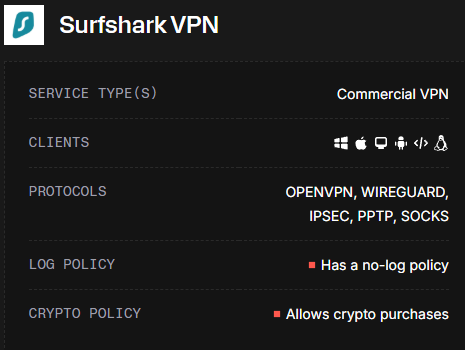
Most SIEMs ingest IP addresses as-is. Geolocation alone is not enough — a VPN exit node in Germany looks identical to a legitimate German user at the IP level. Spur bridges that gap.
With Spur enrichment in place, you can:
- Enrich authentication logs to flag logins from known VPN or proxy IPs
- Build targeted detection rules — e.g., alert when a user authenticates from a VPN exit node they’ve never used before
- Reduce false positives by understanding why an IP looks suspicious (residential proxy vs. bulletproof hosting vs. Tor)
- Feed threat hunting workflows with structured anonymization context, not just raw IP reputation scores
Pricing
Important note: Spur is a paid service. Free users get only 250 manual lookups per month — enough for ad-hoc investigations, not for automated enrichment. API access for bulk/automated use starts at $200/month.
If you’re evaluating it, the free tier is good enough to explore the data model and validate threat hunting ideas before committing.
Understanding the Spur data model
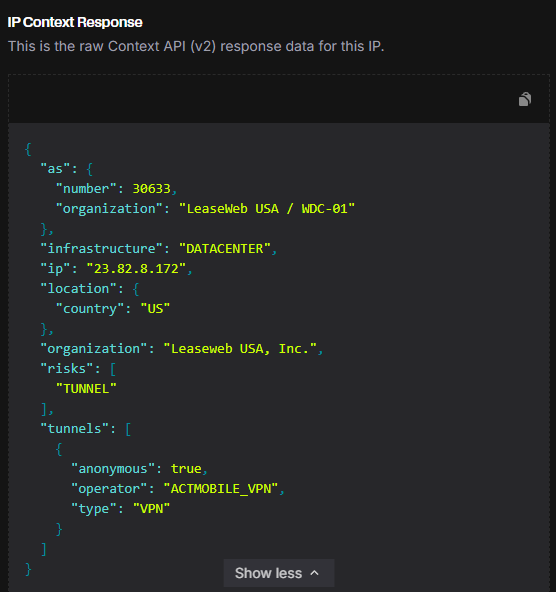
Before jumping into threat hunting ideas, it’s worth understanding what Spur actually returns for an IP. Here’s an example response:
{
  "ip": "45.88.190.70",
  "infrastructure": "DATACENTER",
  "organization": "Packethub S.A.",
  "as": {
    "number": 147049,
    "organization": "PacketHub S.A."
  },
  "location": {
    "city": "Montreal",
    "country": "CA",
    "state": "Quebec"
  },
  "tunnels": [
    {
      "anonymous": true,
      "operator": "NORD_VPN",
      "type": "VPN"
    }
  ],
  "risks": [
    "CALLBACK_PROXY",
    "TUNNEL"
  ],
  "client": {
    "behaviors": ["FILE_SHARING"],
    "count": 2,
    "proxies": ["IPIDEA_PROXY", "NETNUT_PROXY"],
    "types": ["MOBILE"]
  }
}
The fields that matter most for detection:
tunnels— the core of Spur’s value. Contains the anonymization type (VPN,TOR,PROXY,REMOTE_DESKTOP) and theoperatorname (e.g.,NORD_VPN,PROTON_VPN). This is what lets you identify which VPN service is in use, not just that a tunnel exists.infrastructure— the type of infrastructure behind the IP. Documented values includeDATACENTER,MOBILE,SATELLITE. IPs in the residential proxy feed will haveclient.proxiespopulated regardless of infrastructure type.risks— a list of risk tags associated with the IP. Confirmed values:TUNNEL,CALLBACK_PROXY,GEO_MISMATCH,LOGIN_BRUTEFORCE. Useful for building tiered alert severity.client.types— what kind of device/client is typically seen on this IP. Documented values:MOBILE,DESKTOP.client.behaviors— behavioral patterns observed from this IP. Documented values includeFILE_SHARING,TOR_PROXY_USER.
Threat Hunting with Spur
Below are a few ideas that are easy to operationalize once you have the feed integrated into your SIEM.
TH Idea 1 — Correlate logons with VPN / Proxy provider
The idea is simple. Let’s say that from threat intelligence you know an adversary uses NordVPN to perform password spraying against your service. Using Spur, you can easily spot both legitimate users using NordVPN on a daily basis and the adversary doing the same. They can switch countries, cities — but tunnels.operator will always tell you the truth.
Connection using NordVPN from Canada:
{
  "ip": "45.88.190.70",
  "location": { "city": "Montreal", "country": "CA" },
  "tunnels": [{ "operator": "NORD_VPN", "type": "VPN", "anonymous": true }]
}
Same adversary, switched to UK:
{
  "ip": "188.241.144.125",
  "location": { "city": "London", "country": "GB" },
  "tunnels": [{ "operator": "NORD_VPN", "type": "VPN", "anonymous": true }]
}
The IP, country, and ASN all changed. But tunnels.operator is NORD_VPN in both cases. Without Spur, these look like two unrelated IPs from two different countries. With Spur, it’s the same pattern.
This is especially powerful when combined with user-level context — if a user suddenly authenticates from a VPN provider they’ve never used before, that’s a much stronger signal than just “new country.”
TH Idea 2 — Residential proxy detection for account takeover
Residential proxies are a favourite tool for account takeover attacks. Unlike datacenter VPNs, residential proxies route traffic through real consumer devices — making them much harder to block by IP reputation alone. GeoIP won’t help you here: the IP looks like a legitimate home user in the same country.
Spur exposes this through the client.proxies field, which lists residential proxy operators associated with the IP. A login from a residential proxy in the user’s own country, at an unusual hour, is a very different risk profile than a plain residential IP.
Hunting idea: look for authentication events where spur.client.proxies is not empty. Enrich further with login history — a first-time residential proxy login for a given user is worth investigating.
TH Idea 3 — Risk tags as a tiered alert signal
Spur’s risks array lets you build detection rules with graduated severity rather than binary flags. Here’s some of the values to look at:
| Risk tag | What it means |
|---|---|
TUNNEL |
IP is a VPN or proxy exit node |
GEO_MISMATCH |
Declared location differs from actual infrastructure location |
CALLBACK_PROXY |
IP is used as a callback proxy (often malware C2) |
LOGIN_BRUTEFORCE |
IP has been observed performing login brute force attacks |
This lets you avoid the “everything is suspicious” trap — a plain TUNNEL flag on a login may just be a privacy-conscious user, while LOGIN_BRUTEFORCE + CALLBACK_PROXY on the same IP warrants immediate investigation. As you ingest Spur data, you’ll encounter additional tags — treat them as enrichment signals and build severity tiers based on what you observe in your own environment.
What’s next
In Part 2, I’ll walk through how to integrate Spur’s data feed into Elastic SIEM — downloading the feed, parsing it, setting up an ingest pipeline, and building the enrichment processor so these fields are automatically added to your logs at query time.